Spark Chess 3D Puzzle Board
Reviews
Description
Game Introduction
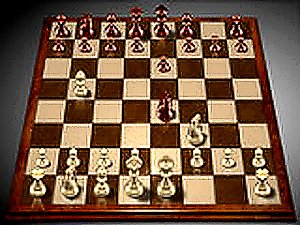
Spark Chess is a free online chess game that presents a polished 3D board for players of all ages. The game offers four distinct difficulty levels, each represented by a unique character: Cody the beginner, Claire the casual player, Boris the club player, and Guru the grandmaster. This structure allows anyone from a new learner to an experienced strategist to find a suitable challenge. The interface is designed to be clear and elegant, keeping the focus on the game itself. Players can save their progress at any point and continue later, making it easy to fit a game into a busy schedule. Language options are also available, ensuring accessibility for a global audience. Whether you want to learn the basics or refine advanced tactics, Spark Chess provides a friendly, adaptive environment for chess practice.
How to Play
To start playing Spark Chess, simply select your opponent from the four available characters. Each character represents a different skill level, so choose based on your experience. The game follows standard chess rules. To move a piece, click on it and drag it to the desired square on the 3D board. The AI adjusts its play style according to the difficulty you pick, offering a fair but challenging game. You can save your game at any time by using the save option, allowing you to resume later from the same position. The interface supports multiple languages, so you can switch to your preferred language in the settings. Focus on your moves, think a few steps ahead, and enjoy a smooth, responsive chess experience.
Game Features
The game includes four difficulty levels that range from beginner to grandmaster. A save game option lets you pause and resume matches at your convenience. Multi-language support makes the game accessible to players around the world. The 3D interface is clear and elegant, helping you concentrate on strategy without distractions.
Tips for Success
To improve your chess skills, practice regularly by playing against opponents of increasing difficulty. Study common openings and endgame patterns to build a strong foundation. Think several moves ahead and consider your opponent's possible responses. Use the save feature to analyze your games later and learn from your mistakes. Stay patient and focus on the board rather than the clock.