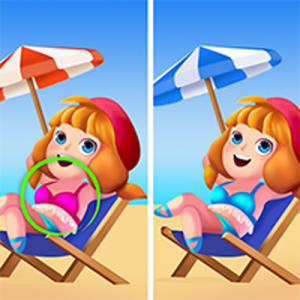
Difference Finder Online Puzzle
Reviews
Description
Game Introduction
Difference Finder is an engaging online puzzle game that challenges your observation skills. You are presented with two seemingly identical images, and your task is to find all the subtle differences between them. Each level features colorful, family-friendly scenes, from nature landscapes to cozy rooms. The game is designed to be relaxing yet stimulating, perfect for a quick mental break or a longer play session. It is a great way to improve focus and attention to detail while having fun.
How to Play
Using your mouse or touch screen, simply click or tap on the areas where you spot a difference. The game will highlight your find and count it towards your progress. You need to find all differences to complete the level and move on to the next challenge. There is no time limit, so you can play at your own pace. The controls are intuitive, making it easy for players of all ages to jump right in and start playing.
Game Features
Relaxing brain challenge for all ages. No time pressure allows stress-free play. Colorful, family-friendly visuals keep the experience positive. Simple touch or click controls work on any device. Levels gradually increase in difficulty to keep you engaged.
Tips for Success
To improve your skills, scan each image systematically from top to bottom or left to right. Take breaks if you feel stuck, as fresh eyes often spot differences more easily. Practice regularly to sharpen your observation abilities. Compare similar areas like corners or edges where differences are often hidden.
Compatibility
💻 Desktop | 📱 Mobile | 📟 Tablet – All supported · Best with Chrome or Safari