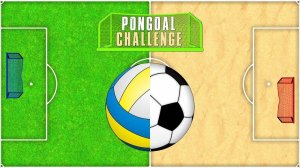
Customizable Match Setup
Table Tennis Custom Arcade puts personalization at the center of every match. Before play begins, you select a ball from a variety of fun options, then pick a card that determines the robot opponent's challenge level. Round duration is also yours to set, with a range from 1 to 10 minutes. These choices are not cosmetic—they directly shape how each session feels, from a quick one-minute rally to an extended ten-minute contest.
Controls and Ball Physics
You control your paddle by moving it up and down on the screen to intercept the ball. Timing and positioning matter more than raw speed, so consistent returns beat risky power shots. The game also lets you adjust the ball's flight speed and spin, which changes how the ball travels and how the robot reacts. Lowering speed and spin is a practical way to learn the robot's patterns before raising the challenge.
Robot Difficulty and Progression
The robot opponent adapts based on the card you select, providing a progressive challenge that grows with your skill. Each card represents a different difficulty tier, so you can start easy and move up as your reflexes and strategy improve. The robot attempts to return your hits, so aiming for open spaces on its side of the table is the core scoring method. Points accumulate until the timer runs out, and the highest score wins.
Who It Suits
With simple controls and a family-friendly environment, this game is built for casual play and focused practice alike. Beginners can start with a low-difficulty card and slow ball settings, while more experienced players can push speed, spin, and robot difficulty for a sterner test. The customization options keep the experience fresh across sessions, and the lack of complex setup makes it accessible for all ages.






Editorial Notes