Game Introduction
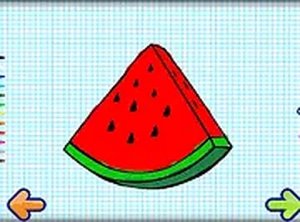
This art activity offers a gentle space for children to explore color and shape. Designed for young minds, it presents a selection of everyday items that kids can decorate using a palette of bright hues. The experience is open-ended, with no goals or deadlines, allowing each child to work at their own pace. Parents appreciate that the content is free from any mature themes, making it suitable for all ages. The game runs instantly in a web browser on both phones and computers, so there is nothing to install. By tapping or clicking, children can fill outlines with color, experiment with combinations, and see their ideas come to life. This kind of play supports hand-eye coordination and color recognition in a relaxed setting. Whether at home or on a trip, the game provides a constructive outlet for creativity. It also offers a full-screen mode to help young players focus on their artwork. Overall, it is a reliable choice for families seeking positive screen time that encourages imagination without pressure.
How to Play
To begin, a child picks an object from the gallery of simple shapes and items. Next, they choose a color from the available palette. Using a finger on a touchscreen or a mouse on a computer, they can tap or drag to apply color to the object. The controls respond smoothly, so even small hands can manage them easily. There is no right or wrong way to color, so children are free to try different approaches. They can fill large areas quickly or add tiny details. Once the artwork is complete, they can view it or clear the canvas to start a fresh project. The interface uses clear icons and minimal text, making it accessible to pre-readers. This straightforward method lets kids focus on the joy of making art without needing instructions.
Game Features
The activity is designed with safety as a priority, containing no inappropriate content. It works directly in a web browser on mobile devices, tablets, and desktop computers without any downloads. A full-screen option helps reduce distractions and creates a more engaging environment. The painting controls are responsive and easy to use, supporting both touch and mouse input. Children can practice recognizing colors and improving fine motor skills through repeated use. The game does not include timers, scores, or any competitive elements, so the experience remains calm and encouraging. These features make it a practical tool for parents who want constructive entertainment for their children.
Tips for Success
Encourage children to try mixing colors by layering one over another to see new shades appear. Let them decide when a piece is finished, building confidence in their own choices. Using the full-screen setting can help maintain focus. Parents may join in by asking questions about the colors and shapes, turning play into a shared learning moment. Displaying or talking about completed artwork can also boost a child's sense of accomplishment.